Healix
Booking an Appointment
Updated: August 2026
Table of contents
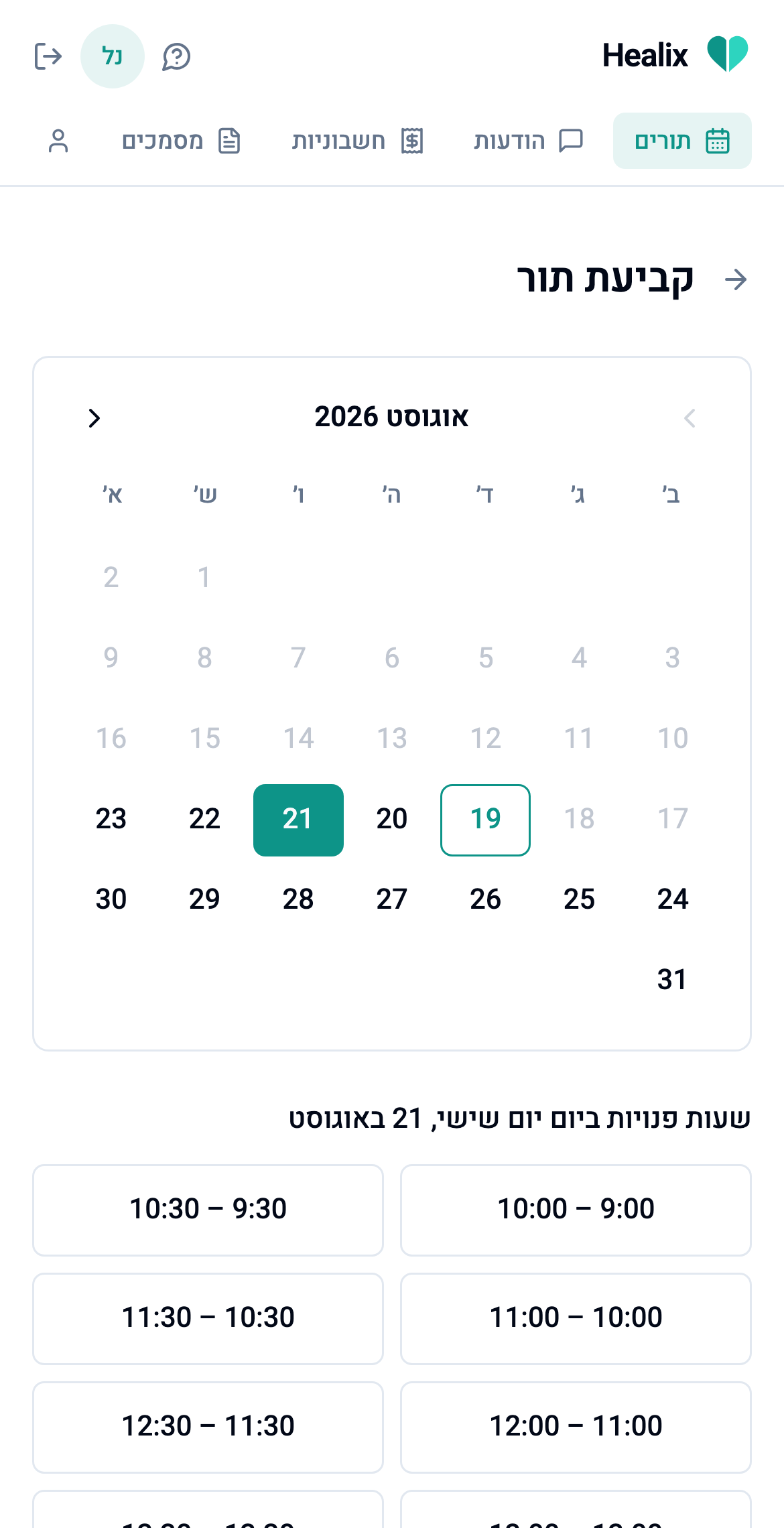
Go to Appointments → Book (or the Book tab in the app).
- Pick a date on the calendar. Past dates aren't selectable.
- You'll see the times that are genuinely free to book that day: the list already accounts for your therapist's schedule, so a slot that's already taken, blocked, or too soon to book never appears.
- Tap a time to book it.
A few things your therapist controls, which shape what you see:
- Minimum notice: your therapist may require booking a certain number of hours in advance; slots that fall inside that window simply aren't offered.
- How slots are grouped: some therapists group self-bookings around their existing sessions to avoid scattered gaps in their day. If so, you may see fewer options than "every open hour," concentrated around times they're already working.
Once booked, your appointment's status tells you where things stand:
- Scheduled: booked and waiting for your therapist to confirm.
- Confirmed: your therapist has confirmed it. You'll get an email (and a WhatsApp message, if you've opted in) with the details and a calendar file.